The Best Back-to-School Tech in 2026: The Student Setup That Isn't a MacBook
Standing desks, keyboards, monitors, e-readers, backpacks, and scooters. Gavler's back-to-school 2026 guide to the student setup beyond the laptop.
Updated July 9, 2026 — back-to-school sales are live right now. Best Buy has opened its student season with up to $500 off laptops (and early access for My Best Buy Plus members), Walmart is running a back-to-school tech sale, and Dell, HP, and Lenovo are all cutting machines this week. There's also a bigger reason than usual to buy the big-ticket gear early: analysts at Gartner are forecasting a roughly 130% surge in combined DRAM and SSD prices by year-end — a memory shortage they've dubbed "memflation," expected to push average PC prices up about 17% and to run into late 2027. Live deals plus a closing price window is the rare year where "buy early" is unambiguously the right call. Below: the student setup Gavler actually ranks, built from the community's top-voted picks in each category.
Every back-to-school tech guide published this month opens with the same three things: a MacBook, a pair of AirPods, and an iPad. Useful, maybe, but you don't need another list telling you Apple makes a laptop. Gavler doesn't rank any of those categories on purpose — laptops, earbuds, and headphones all sit where Apple competes, and staying out keeps the community rankings free of the single biggest thumb on the scale in consumer tech.
What's left is the more interesting half of a student setup, and arguably the half that actually shapes your semester: the desk you study at, the screen you read on, the bag you haul across campus, and the way you get to class. Here's what the community ranks highest in each, and how to think about buying it before the summer deal window closes.
The Desk — Where the Semester Actually Happens
You will spend more hours at your desk than anywhere else on campus. It's the highest-leverage place to spend money, and the three upgrades below compound: a desk that moves, a keyboard that's comfortable to type on for hours, and a second screen that halves the tab-juggling.
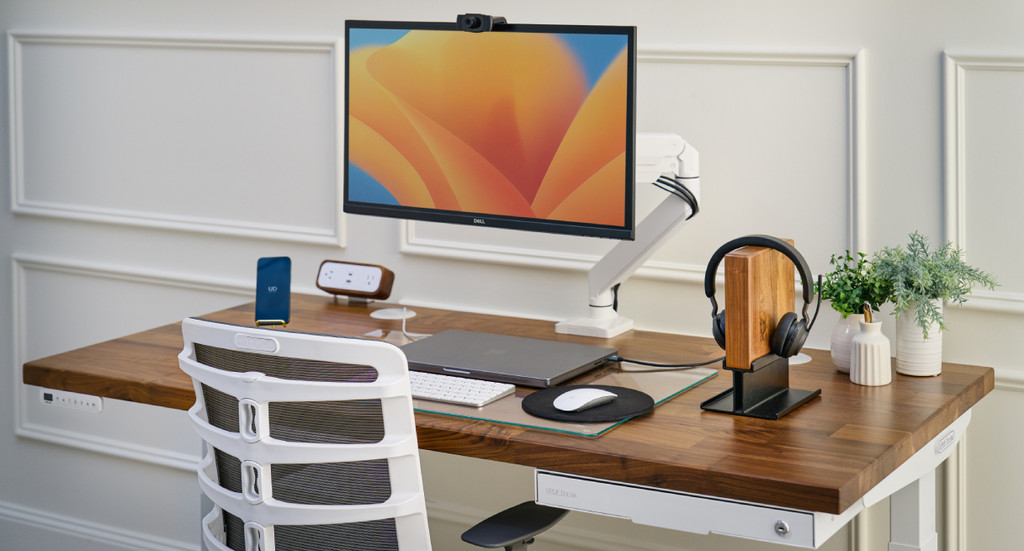
Uplift V2 Standing Desk
The reliable workhorse with excellent dual-motor performance and programmable presets. 355 lbs capacity makes it trustworthy for heavy multi-monitor setups.
Amazon affiliate · price subject to change
The Uplift V2 (rank 3 on Gavler's list, score 9.2) is the standing desk to beat in the mid-range. A stable dual-motor frame, a wide sit-to-stand height range, and an unusually good warranty make it the one reviewers keep recommending for a setup you'll keep for years. Alternating between sitting and standing through a long study block is the kind of small ergonomic fix that pays off across four years of eight-hour days. In a tight dorm, measure first and check your building's rules — but if you have the space, this is the anchor of the whole setup. See where it lands against the budget and premium picks on the Best Standing Desks list, or read the full standing desk brief.

Keychron Q1 Ultra
8K wireless polling, 660-hour battery, and Silk POM switches in a CNC aluminum 75% — the Q1 Pro's successor rewrites the rules of wireless custom keyboards.
Amazon affiliate · price subject to change
A Keychron Q1 Ultra (rank 4, score 8.7, around $230) is the single upgrade most students underrate. Every paper, every problem set, every late-night message runs through your keyboard, and a gasket-mounted mechanical board with a machined aluminum body makes all of it more pleasant — and, over a semester of typing, easier on your hands. It's a splurge next to a membrane keyboard, but it's the kind you notice every day. If $230 is steep, the Best Mechanical Keyboards list runs down to genuinely good boards under half that; the mechanical keyboard brief breaks down the tiers.
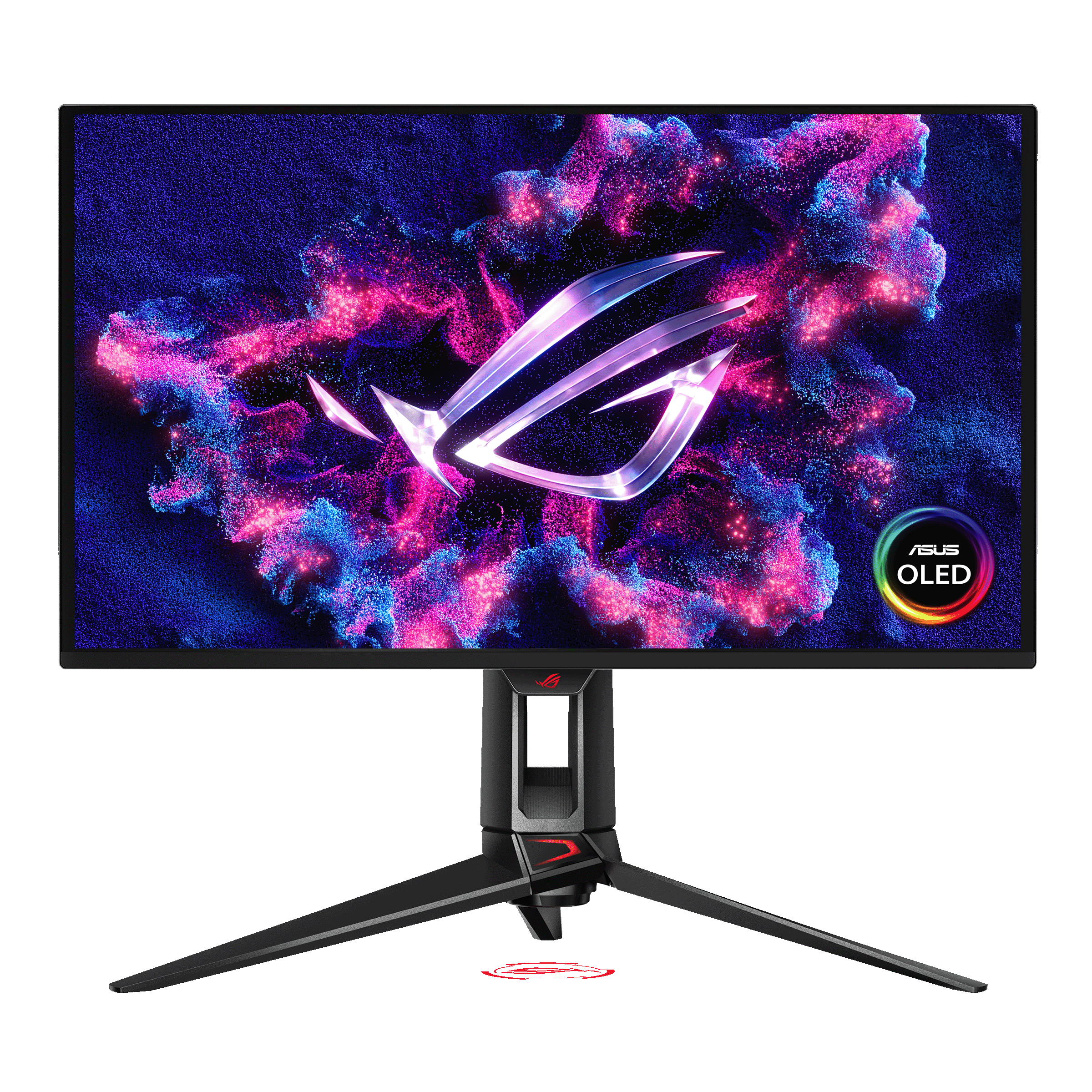
ASUS ROG Swift PG27UCDM
ASUS ROG Swift PG27UCDM — 27" 4K @ 240Hz 4th-gen QD-OLED, 0.03ms response, Dolby Vision, DisplayPort 2.1. Tom's Hardware's flagship 27" 4K OLED pick.
Amazon affiliate · price subject to change
A second screen is the productivity upgrade with the best evidence behind it, and the ASUS ROG Swift PG27UCDM (rank 1, score 9.4) is the flagship if you want one monitor that pulls double duty for coursework and gaming. It's a 4K QD-OLED panel that reviewers rate the best all-around gaming monitor of 2026 — clearly a splurge at around $1,100, and more monitor than a pure study setup needs. If your priority is study screen real estate on a budget, the Best Gaming Monitors list ranks strong options well under that price; the gaming monitor brief covers the current field, where 4K OLED has finally gone mainstream.
Getting Around Campus
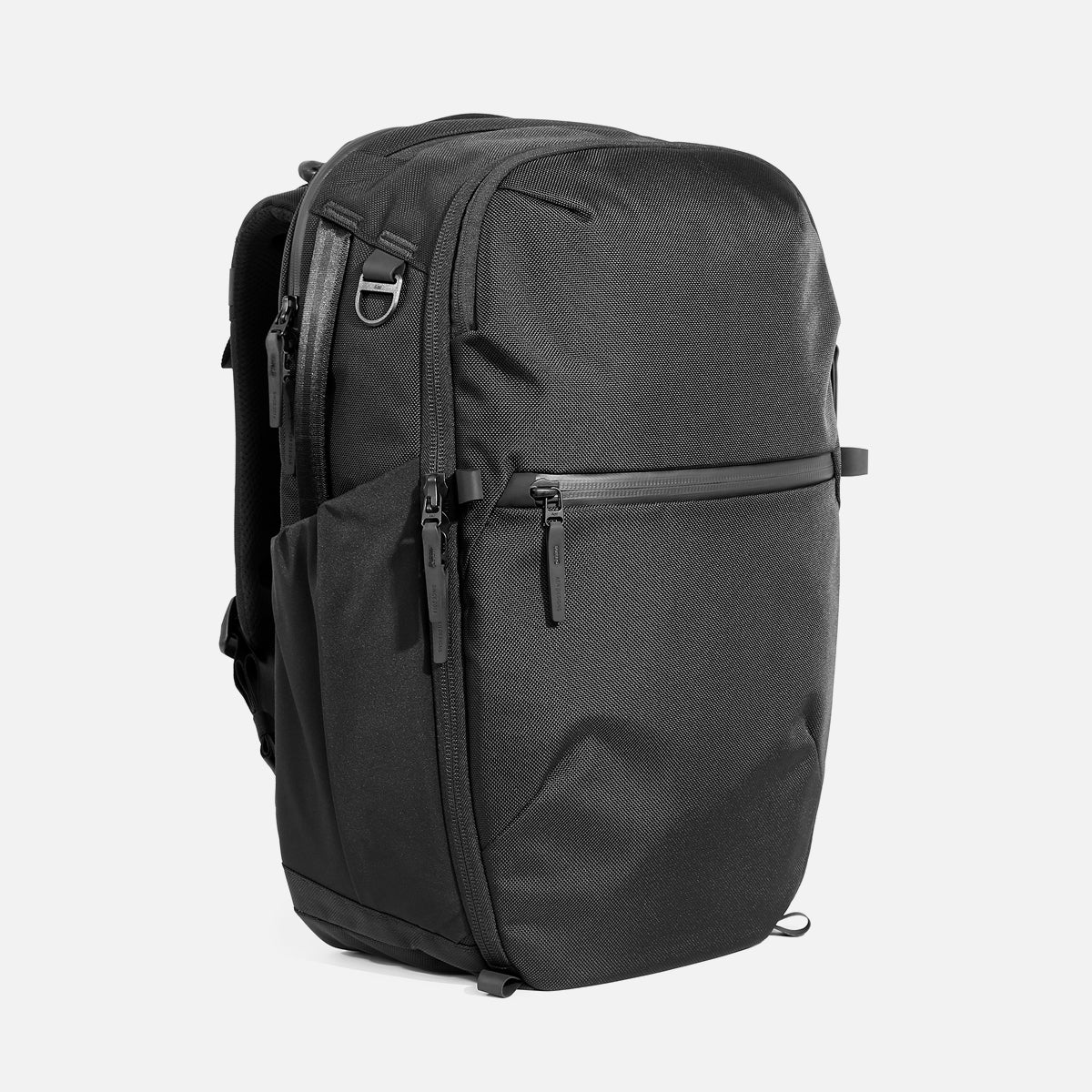
Aer Travel Pack 4 (35L)
Clamshell opening with modular organization in CORDURA, X-Pac, or Ultra options.
Amazon affiliate · price subject to change
The Aer Travel Pack 4 (35L) (rank 2 on the travel-backpack list, score 9.2) is one of Gavler's most-recommended bags, and it moonlights as a serious campus backpack: a padded laptop compartment, a clamshell main section that packs flat, and a build made to survive four years of being dropped, crammed, and rained on. It's more bag than a light-day student needs — if you carry less, the smaller daypacks on the Best Travel Backpacks list are lighter and cheaper. For the full breakdown of what to prioritize in a daily-carry bag, the travel backpack brief goes deep on laptop protection, strap comfort, and weatherproofing.

Segway Ninebot Max G3
Flagship commuter with an exceptional 50-mile range and genuine city-riding efficiency. The 800W motor reaches 28 mph and handles 30% inclines — the gold standard for daily commuters who need reliability over flash.
Amazon affiliate · price subject to change
If your campus is sprawling or you live off-campus, the Segway Ninebot Max G3 (rank 1, score 9.6) is the top-ranked electric scooter on Gavler's list, and it earns it on range and ride quality — the two things that matter when you're covering real distance every day. It's the splurge of this guide, so buy it deliberately: check your school's rules on where you can ride and park, and make sure you have a safe spot to store and charge it. Budget commuters have lighter, cheaper options on the Best Electric Scooters list, and the electric scooter brief walks through range, portability, and the trade-offs between them.
Reading and Note-Taking
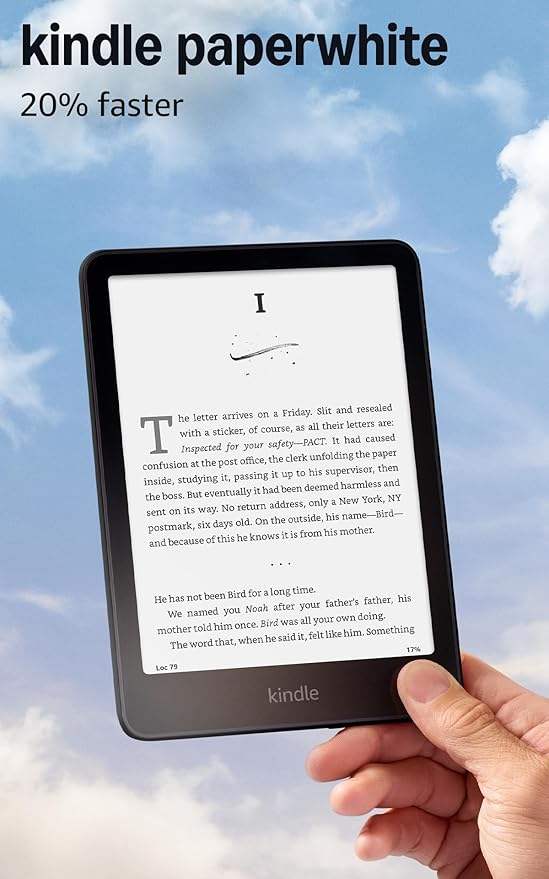
Amazon Kindle Paperwhite (2025)
A 7-inch, 300 ppi E Ink display with adjustable warm light, IPX8 waterproofing, and up to 12 weeks of battery life. The 2025 refresh is faster, sharper, and lighter than its predecessor, making it the easiest entry into e-reading.
Amazon affiliate · price subject to change
The Amazon Kindle Paperwhite (2025) (rank 1, score 9.7, around $160) is the highest-scored product in this entire guide, and it's the easiest recommendation to make. It's waterproof, the battery lasts weeks, and the glare-free display reads comfortably in a sunny quad or a dim library — and it carries a semester of textbooks and pleasure reading in something lighter than a single paperback. If your coursework leans on annotation and PDF markup, step up to a writing tablet like the Kindle Scribe or reMarkable, both on the Best E-Readers list; the e-reader brief sorts the note-takers from the pure readers.
Buy the Big Stuff Now — and the Computer Especially
There's a new deadline behind the usual "buy early" advice this year, and it lands on the one thing this guide deliberately doesn't rank: the computer itself. Gartner is forecasting a roughly 130% surge in combined DRAM and SSD prices by the end of 2026 — a memory shortage severe enough that it expects average PC prices to rise about 17%, and the sub-$500 laptop to effectively disappear by 2028. The crunch is projected to run into the second half of 2027, so it isn't a blip you can wait out before classes start. If you're buying a laptop, a desktop, or any RAM or SSD storage for your setup, the cheap window is closing — lock those in now.
The accessories in this guide are far less exposed to memory pricing, but the back-to-school calendar still favors buying now: promotions discount hard through the summer, and popular inventory on the big-ticket items — the desk, the monitor, the scooter — tightens as move-in approaches. The rule of thumb: buy the expensive, hard-to-restock gear (and anything with real memory or storage inside) during the summer sales, and leave the small consumables for the August dorm-essentials wave.
The Bottom Line
A student setup isn't one purchase, it's a system: a desk that moves, a keyboard you'll type a hundred thousand words on, a screen for reading without eye strain, a bag that survives the walk, and — if your campus demands it — a faster way to get across it. None of it is a MacBook, and that's the point. Every category here is ranked by the people who actually own the products, so start with the community's top picks and vote for your own.
Compare the full rankings and add your vote on the Best Standing Desks, Best Mechanical Keyboards, Best Gaming Monitors, Best E-Readers, Best Travel Backpacks, and Best Electric Scooters lists — or browse the whole lineup across the computing and electronics categories.
See all 9 products ranked by the community
Best Standing Desks
See Full Rankings →306 community votes cast
Common Questions
It depends on where you spend your time, but the highest-impact upgrades for most students are the ones that improve the hours you actually study. A height-adjustable standing desk fixes the posture problem of eight-hour study sessions; a good mechanical keyboard makes every paper and problem set more comfortable to type; and an e-reader like the Kindle Paperwhite carries a semester of textbooks and pleasure reading in a glare-free screen lighter than a single paperback. If you commute across a large campus, an electric scooter turns a fifteen-minute walk into a three-minute ride. Gavler ranks each of these categories by community vote, so you can see what students and owners actually recommend rather than what's paying for placement.
Because Gavler doesn't rank Apple products or the categories Apple competes in — a deliberate editorial policy, not an oversight. Laptops, wireless earbuds, and over-ear headphones all sit in categories where Apple sells a leading product, so Gavler stays out of them to keep its rankings free of the biggest gravitational pull in consumer tech. What's left is arguably the more useful half of a student setup anyway: the desk you study at, the bag you carry, the screen you read on, and the way you get to class. Those are the categories this guide covers, and the ones where community voting produces a genuinely independent ranking.
For most students, yes — provided you buy one that fits. A height-adjustable desk lets you alternate between sitting and standing through long study blocks, which matters more than it sounds when your entire day is spent at a screen. The Uplift V2 tops Gavler's mid-range for a reason: a stable dual-motor frame, a wide height range, and a genuinely useful warranty. In a tight dorm, measure first and consider a smaller top or a compact frame, and check whether your building allows desks that clamp or bolt. If space is the constraint, a keyboard and monitor upgrade on your existing desk delivers most of the ergonomic win for less money and zero footprint.
The Amazon Kindle Paperwhite (2025) is Gavler's number-one e-reader and the right default for most students: it's waterproof, the battery lasts weeks, and the glare-free display reads comfortably in a sunny quad or a dim library. It holds thousands of books, which for a reader means never carrying a physical stack again. If your coursework involves heavy note-taking or PDF markup, step up to a writing tablet like the Kindle Scribe or reMarkable — they let you annotate readings and take longhand notes that convert to text. For textbooks specifically, check whether your titles are available in a reflowable e-book format before committing, since some technical textbooks still read best on a larger screen.
If your campus is large or your housing is off-campus, an electric scooter can be the single best time-saver in your setup — it collapses a long walk between buildings into a few minutes and beats waiting for a shuttle. The Segway Ninebot Max G3 leads Gavler's list on range and ride quality, which is what matters when you're covering real distance daily. Before buying, check two things: your school's rules on scooters (many restrict where you can ride or park them, and some require registration) and where you'll store and charge it safely, since a dorm outlet and a lockable spot are non-negotiable. If budget is tight, the list includes lighter, cheaper models that still handle a standard commute.
A dedicated travel or commuter backpack beats a generic bookbag once you're carrying a laptop, a tablet, chargers, and a water bottle every day. The Aer Travel Pack 4 sits near the top of Gavler's travel-backpack list and doubles as a campus bag: a padded laptop compartment, a clamshell main section that packs flat, and a build that survives four years of daily abuse. It's more bag than a light-day student needs, so if you carry less, look at the smaller daypacks on the same list. The things to prioritize for campus are a protected laptop sleeve, comfortable straps for a loaded bag, and a water-resistant exterior for the walk to class in the rain.
Both months have deals, but they serve different shoppers, and right now — early-to-mid July — is the stronger window for the expensive stuff. The back-to-school sales are already live: Best Buy has opened its student season with laptop discounts up to $500 (with early access for My Best Buy Plus members), Walmart is running a back-to-school tech sale with monitor and laptop markdowns, and Dell, HP, and Lenovo are all cutting prices this week, right on the heels of June's Prime Day and the July 4 weekend. There's also a longer-term reason not to wait this year: analysts at Gartner project a roughly 130% surge in memory and storage prices by the end of 2026 that's expected to push average PC prices up about 17%, so anything with a lot of RAM or SSD storage inside — a laptop above all — only gets more expensive from here. August brings a second wave of school-supply and dorm-essentials promotions as move-in approaches, but inventory on popular items tightens. The rule of thumb: buy the expensive, hard-to-restock gear now while the sales are live, and leave the small consumables for August.
Likely yes, and it's the strongest argument for buying early this year. Gartner projects that a memory shortage — analysts have nicknamed it 'memflation' — will drive combined DRAM and SSD prices up roughly 130% by the end of 2026, enough to raise average PC prices about 17% and, it forecasts, to make the sub-$500 laptop effectively disappear by 2028. The crunch is expected to persist into the second half of 2027, so it isn't a short dip you can wait out before the semester starts. Gavler doesn't rank laptops — that's an Apple-Exclusion policy call — but the takeaway applies to whatever computer anchors your setup: if you're buying a laptop, a desktop, or any RAM or SSD storage, lock it in now rather than betting on lower prices later. The accessories in this guide — desks, keyboards, monitors, e-readers, bags, and scooters — are far less exposed to memory pricing, so those you can buy on the usual back-to-school timing.
Every Gavler list is ranked by community vote — one vote per person, with no affiliate commissions or manufacturer sponsorships influencing the order. Owners and shoppers vote for the product they'd recommend above all others, and the expert score sits alongside the community score on each list so you can see where professional testing and real-world ownership agree. That's the point of using Gavler to build a student setup: instead of trusting a single reviewer or a sponsored roundup, you see the aggregated verdict of the people who actually bought and use each product — and you can add your own vote and watch the ranking move.
Products Mentioned
Jump to the full ranking and community verdict for each pick named above.