Kindle Paperwhite vs Kobo Libra Colour: The E-Reader Decision That Defines How You Read
Amazon's Paperwhite vs Kobo's Libra Colour, refreshed for Prime Day 2026. Which e-reader fits your library, your hands, and how you actually want to read.
Published April 2026, refreshed June 2026 — Father's Day is T-6, Amazon Prime Day is T-8. Below: how the Kindle Paperwhite and the Kobo Libra Colour — the top two picks on Gavler's Best E-Readers list — actually compare in the second half of 2026.
The Amazon Kindle Paperwhite (2025) and the Kobo Libra Colour sit at the top of Gavler's Best E-Readers list, and they represent two fundamentally different philosophies of what an e-reader should be. The Kindle does one thing perfectly: display black text on a near-paper-white screen with zero friction. The Kobo does several things well — color, physical buttons, library lending, and format flexibility — at a $70 premium. This is less a specs comparison than a lifestyle question.
What's Changed in 2026
Three meaningful shifts since this comparison first ran in April:
- The 2025 Kindle Paperwhite refresh is the new floor for the category. Faster page turns, a lighter body, and the new Carta 1300 panel widen the text-clarity gap over the Kobo's color screen, not narrow it. If you were waiting for an upgrade reason, the 2025 hardware is it.
- The Kindle Colorsoft is now Amazon's direct answer to color e-ink. It sits at rank 6 on the Best E-Readers list with a custom oxide-backplane Kaleido 3 panel and wireless charging at $249. If color is the only reason you were leaning Kobo, the Colorsoft removes that argument for anyone already living in the Kindle ecosystem.
- Prime Day 2026 is T-8 and the Father's Day window is T-6. Last year's Paperwhite hit $109 during Prime Day; the Kindle (2024) fell to $74. The Kobo Libra Colour does not participate in Prime Day — Kobo's deepest cuts come during Father's Day and Black Friday. Timing the purchase against the right brand's calendar can be worth $40-$70.
The Case for the Kindle Paperwhite ($160)
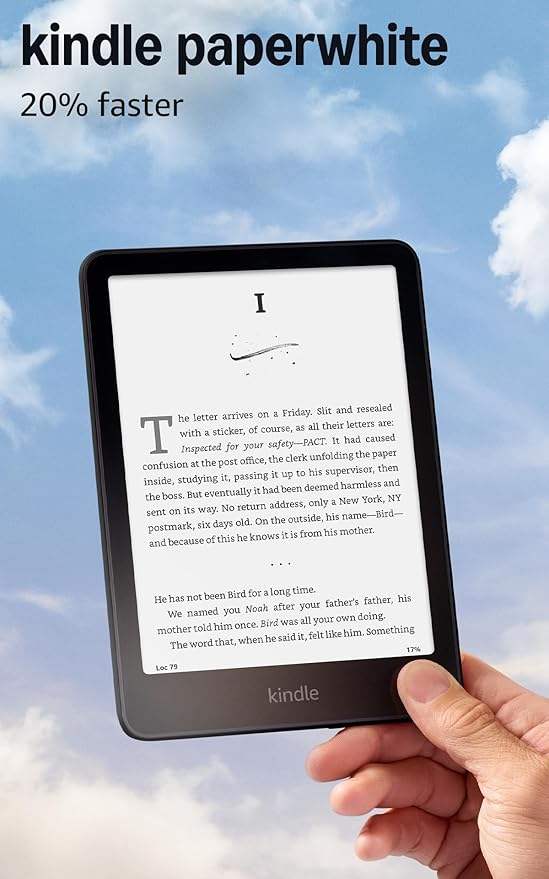
Amazon Kindle Paperwhite (2025)
A 7-inch, 300 ppi E Ink display with adjustable warm light, IPX8 waterproofing, and up to 12 weeks of battery life. The 2025 refresh is faster, sharper, and lighter than its predecessor, making it the easiest entry into e-reading.
Amazon affiliate · price subject to change
The Kindle Paperwhite remains the default recommendation for a reason. The 7-inch, 300 PPI E Ink Carta 1300 display is the sharpest black-and-white reading experience available — the 2025 refresh made it faster and lighter without sacrificing the text clarity that defines the category. The Signature Edition adds auto-adjusting brightness that adapts to ambient light, a feature no Kobo offers, and 12 weeks of battery life means you genuinely forget what charging an e-reader feels like.
Amazon's content ecosystem is unmatched. Kindle Unlimited offers millions of titles for a monthly subscription. The Kindle Store has the deepest selection of new releases, self-published works, and Audible audiobook integration. If you read primarily novels and non-fiction, this is the frictionless path. IPX8 waterproofing means bath and poolside reading is a non-issue. Page turns are tap or swipe only — there are no physical buttons, which Amazon stubbornly refuses to add to the Paperwhite line — but the 7-inch form factor is light enough that one-handed reading still works.
The downside is the lock-in. Kindle books use Amazon's proprietary format. You cannot easily move your library to a competing device, and library borrowing requires the Libby app middleman to send books to the Kindle. If you ever want to leave the Amazon ecosystem, your library does not leave with you.
The Case for the Kobo Libra Colour ($230)
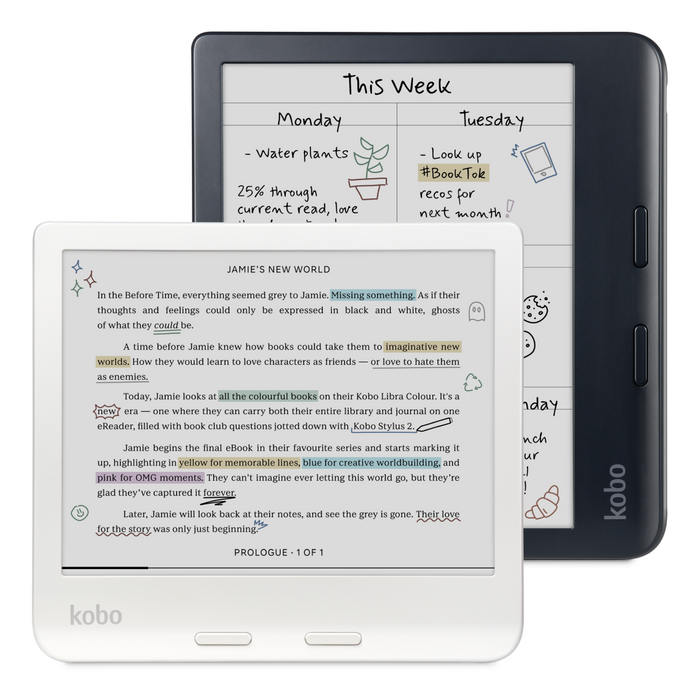
Kobo Libra Colour
A 7-inch Kaleido 3 display brings color to e-reading without sacrificing the crisp black-and-white experience. Physical page-turn buttons, IPX8 waterproofing, and open ecosystem support make this the best choice for readers who value flexibility.
The Kobo Libra Colour is for readers who want more control over their reading experience. Physical page-turn buttons on the right side make one-handed reading comfortable — a feature Amazon refuses to add to any current Kindle in the Paperwhite line. The E Ink Kaleido 3 color screen displays roughly 4,096 colors, making book covers, comics, highlighted passages, and note-taking with the optional Kobo Stylus 2 noticeably more vivid. The 32 GB of storage is double the Paperwhite's 16 GB out of the box.
The biggest differentiator is library lending. OverDrive is built directly into the Kobo — connect your library card, browse, borrow, and read without app-hopping or sending books between services. For heavy library users, this single feature can justify the price premium. Kobo also reads EPUBs natively, the open standard format used by most non-Amazon bookstores and libraries. No conversion tools, no sideloading headaches. If you buy books from multiple sources or value format freedom, the Kobo respects that.
The trade-off is the color layer. Adding color to an E Ink screen slightly reduces black-and-white contrast compared to the Paperwhite's dedicated B&W panel. In practice, most readers will not notice. Side by side, the Kindle text is marginally crisper, the Kobo color is genuinely useful for comics and magazines.
The Color Wildcard — Kindle Colorsoft ($250)
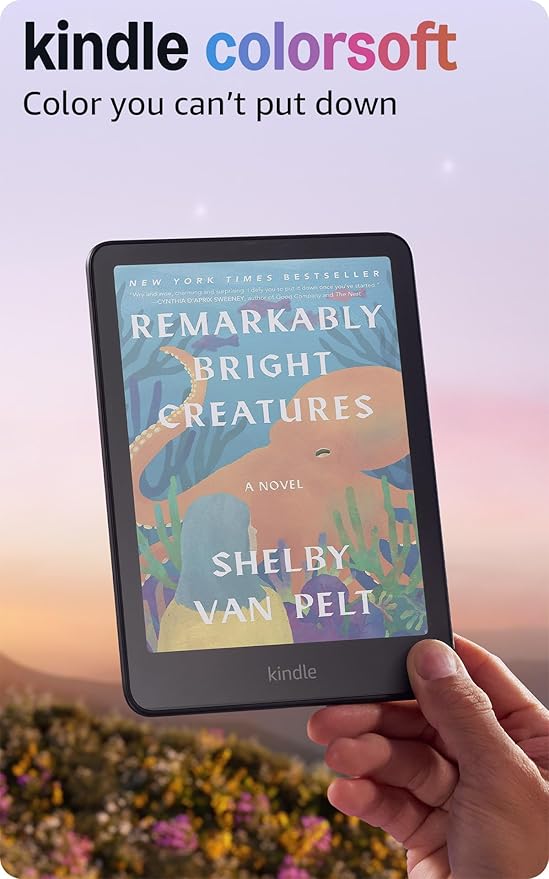
Amazon Kindle Colorsoft
A 7-inch Kaleido 3 display with custom coating for improved vibrancy, and an oxide backplane for sharper contrast. Amazon's answer to color e-readers, designed for the Kindle ecosystem.
Amazon affiliate · price subject to change
A year after the Libra Colour proved color e-ink could be a real product, Amazon answered with the Kindle Colorsoft — a Paperwhite-sized Kaleido 3 panel with a custom oxide backplane that produces more vibrant color and faster refresh than competing color e-ink implementations. It costs $250 at list, $20 more than the Libra Colour, and adds wireless charging plus Amazon's content ecosystem. The deal-breakers are the same as on any Kindle: no physical page-turn buttons, no native EPUB support, no OverDrive integration. If color is the reason you would consider a Kobo but you genuinely prefer Kindle for everything else, the Colorsoft now exists. If your reading life runs through your library card, the Libra still wins.
What to Actually Care About
Most spec comparisons miss the point. The decision tree is short:
- Library card primary? Kobo Libra Colour. OverDrive native, no app middleman.
- Amazon ecosystem already? Paperwhite for B&W readers, Colorsoft for color readers.
- One-handed reading nightly? Kobo. Physical page-turn buttons matter more than you think after the first week.
- Sharpest possible text at the lowest price? Paperwhite. No e-reader at any price reads text better.
- Comics, magazines, or color-coded highlights? Either color reader works — Libra for ecosystem freedom, Colorsoft for Kindle people.
- Annotation-heavy reader? Neither. Step up to the Kindle Scribe at rank 3 or reMarkable Paper Pro at rank 5.
Father's Day & Prime Day Buying Window — T-6 / T-8
Father's Day lands June 21 and Prime Day runs June 23-26 this year. The Paperwhite historically discounts to $109-$119 during Prime Day — about a 25-30 percent cut from the $160 list price — and the entry Kindle (2024) typically falls to $74 in the same window. The Kindle Colorsoft and Scribe see deeper percentage cuts than the Paperwhite because Amazon uses Prime Day to clear inventory on its higher-margin halo products. The Kobo Libra Colour does not participate in Prime Day; the closest equivalent is the Father's Day window the week before June 21, where Kobo bundles the Libra Colour with a SleepCover at a 10-15 percent discount through Kobo direct. If price is the deciding factor, time the purchase against the right calendar.
The Verdict
Buy the Kindle Paperwhite if you read mostly novels, you are already in Amazon's ecosystem, and you value the sharpest possible text display at the lowest possible price. At $160 list — and $109-$119 during Prime Day — nothing else delivers this reading experience for less.
Buy the Kobo Libra Colour if you want physical page-turn buttons, color for comics or note-taking, seamless library lending through OverDrive, or the freedom to read EPUBs from any source. The $70 premium buys genuine functionality, not just a spec bump — and if you value reading on a device that does not lock you into one vendor's library forever, that math gets easier.
Buy the Kindle Colorsoft instead if you want color but you cannot or will not leave the Kindle ecosystem.
The Gavler community gives the Kindle the rank 1 spot, but the Kobo has passionate advocates — especially among library-first readers. See how all ten current top picks stack up on the Best E-Readers list, and cast your vote on the products you actually own.
See all 10 products ranked by the community
Best E-Readers
See Full Rankings →242 community votes cast
Common Questions
Buy the Kindle Paperwhite (2025) if you read mostly novels, want the sharpest black-and-white text at the lowest price, and live inside Amazon's ecosystem with Kindle Unlimited or Audible. Buy the Kobo Libra Colour if you want physical page-turn buttons, color for comics and highlights, native EPUB support, or built-in OverDrive library lending. The decision is less about hardware than about which ecosystem you want to live inside for the next five years.
For pure black-and-white text the Kindle Paperwhite's 7-inch 300 PPI E Ink Carta 1300 display is slightly crisper, with better contrast and faster refresh on the 2025 refresh. The Kobo Libra Colour uses E Ink Kaleido 3 — 300 PPI in black-and-white, 150 PPI in color, with about 4,096 colors. The color layer is genuinely useful for comics, book covers, and highlight color-coding, but adds a faint texture that slightly softens text. Side by side, the Kindle wins on text. The Kobo wins on everything else the display does.
Yes. The Kobo Libra Colour has OverDrive integration built directly into the device — connect a library card, browse, borrow, and read without ever opening a separate app. The Kindle can access library books through Libby, but the workflow requires sending books from Libby to the Kindle, which adds friction. If your library card is the engine of your reading life, the Kobo is the obvious pick.
The Amazon Kindle Paperwhite (2025) is $159.99 list. The Kobo Libra Colour is $229.99 list at Kobo, Amazon, and B&H Photo. Prime Day 2026 (June 23-26) historically discounts the Paperwhite by 25-35 percent — last summer it hit $109 — and reliably runs the Colorsoft and Scribe at deeper discounts than the basic Kindle. Kobo rarely matches Amazon's Prime Day cuts but typically opens a Father's Day window on Libra Colour bundles.
If you specifically want color and you are committed to the Kindle ecosystem, yes — the Kindle Colorsoft brings Amazon's content library together with a Kaleido 3 panel and wireless charging. If you are not married to Amazon, the Libra Colour still wins on physical page-turn buttons, native EPUB support, and OverDrive library lending. The Colorsoft is the color Kindle for Kindle people; the Libra is the color e-reader for everyone else.
For Kindles, yes — Amazon Prime Day 2026 runs June 23-26 and historically delivers the year's deepest discounts on every current Kindle generation. Expect the Paperwhite to land around $109-$119 and the Colorsoft and Scribe to see double-digit percent cuts. The Kobo Libra Colour does not participate in Prime Day; if you are a Kobo buyer, watch the Kobo Black Friday window in November or the Father's Day window the week before June 21.
On Gavler's Best E-Readers list, the Amazon Kindle Paperwhite holds rank 1 with a 9.7 community score and the Kobo Libra Colour sits at rank 2 with a 9.6. Rankings are determined entirely by community votes — one person, one vote, no affiliate influence. The expert score and the community score sit side by side on the live list so you can see where professional reviewers and owners agree and disagree.
Products Mentioned
Jump to the full ranking and community verdict for each pick named above.